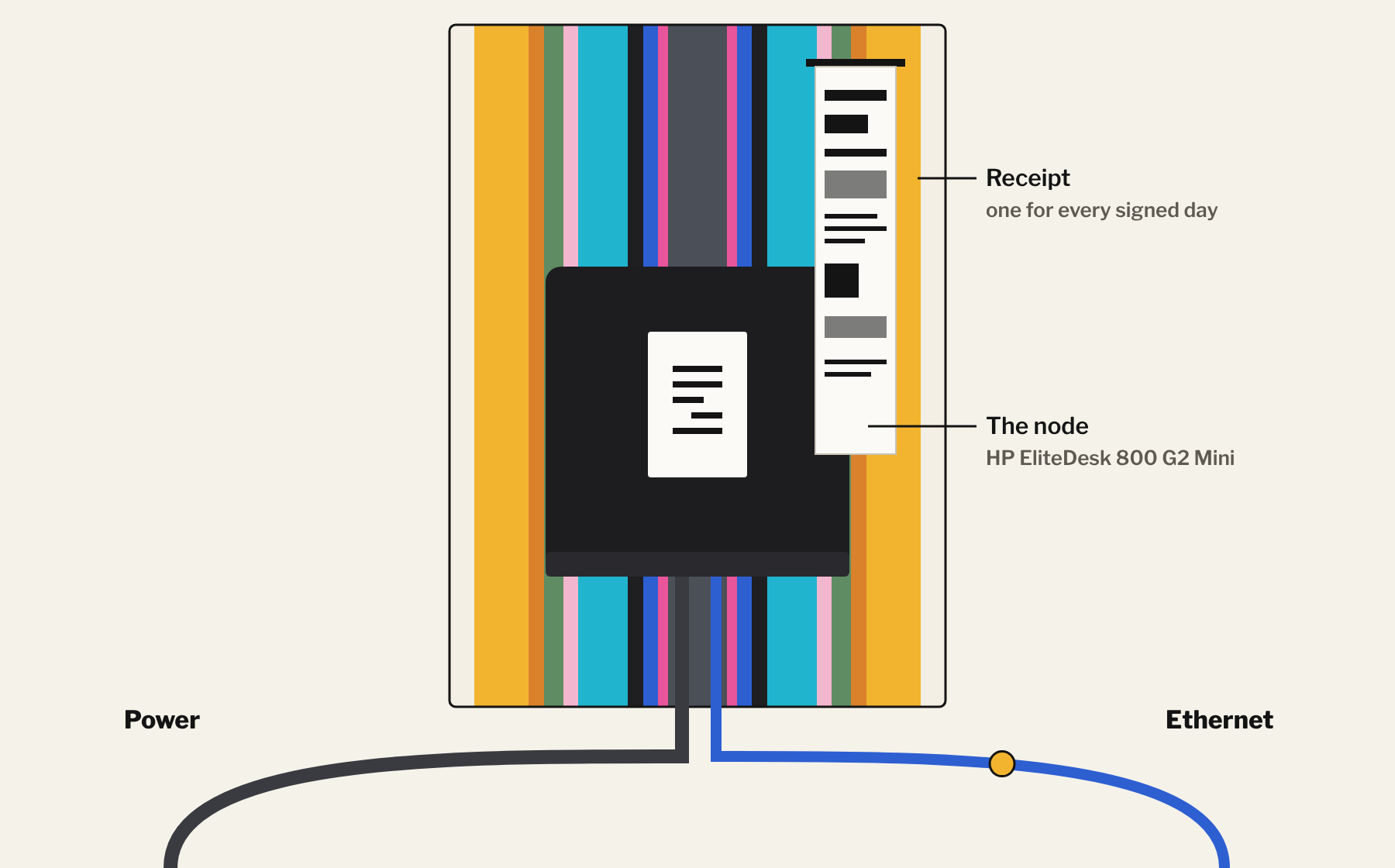
Two cables
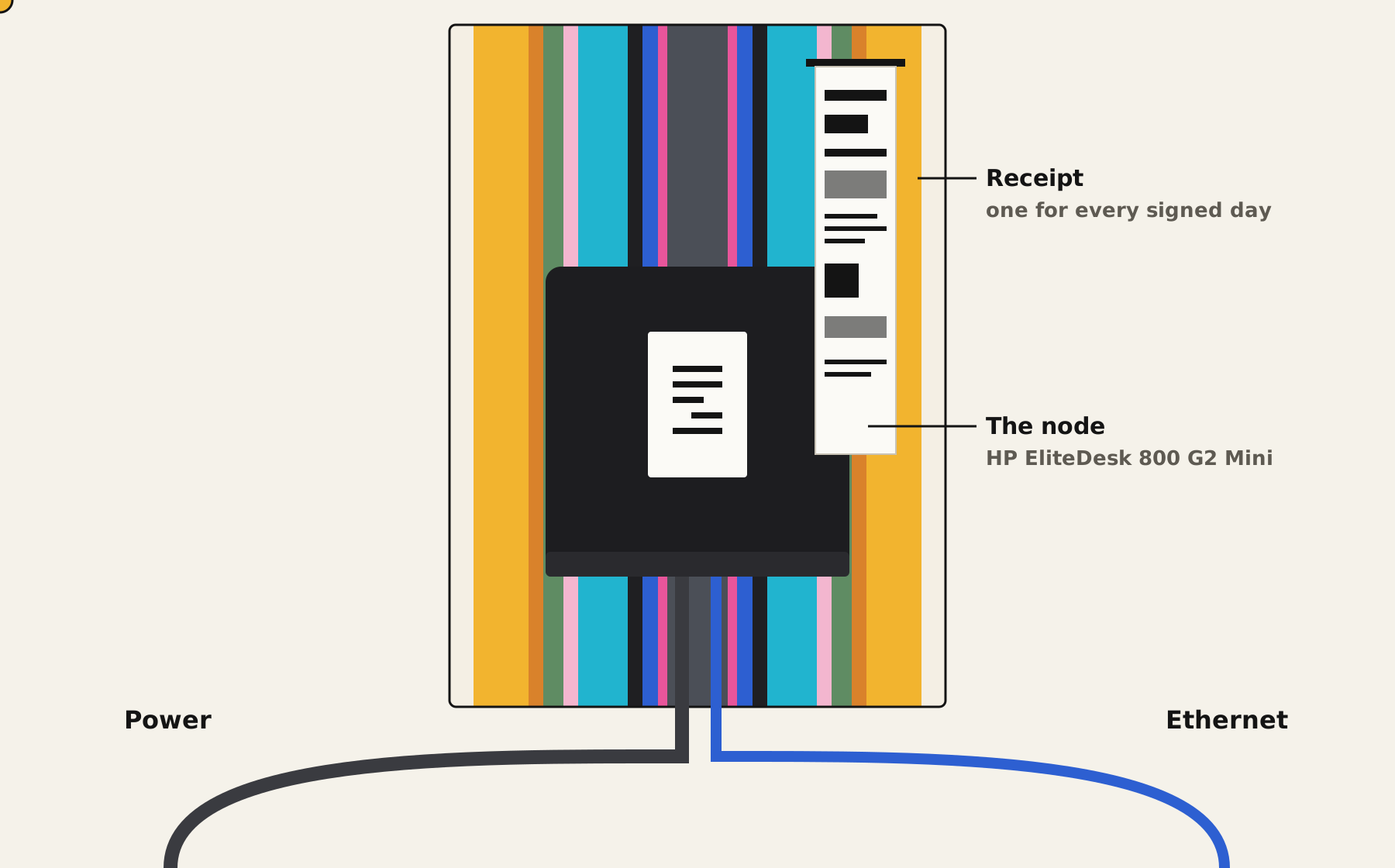
Set into a wall at The Line in Hawke's Bay there's a painted box. Two cables go in. A receipt comes out.
Inside is The Southern Node, a 6529 validator. Once a day it checks everyone's TDH on 6529 and signs the result. Nobody sits in front of it... ever.
This is how it's built, layer by layer. The short version sits on top. Tap Go deeper or Set it up when you want the how.
If it has a screen, it's a PC. If it only has power and network, it's a node.
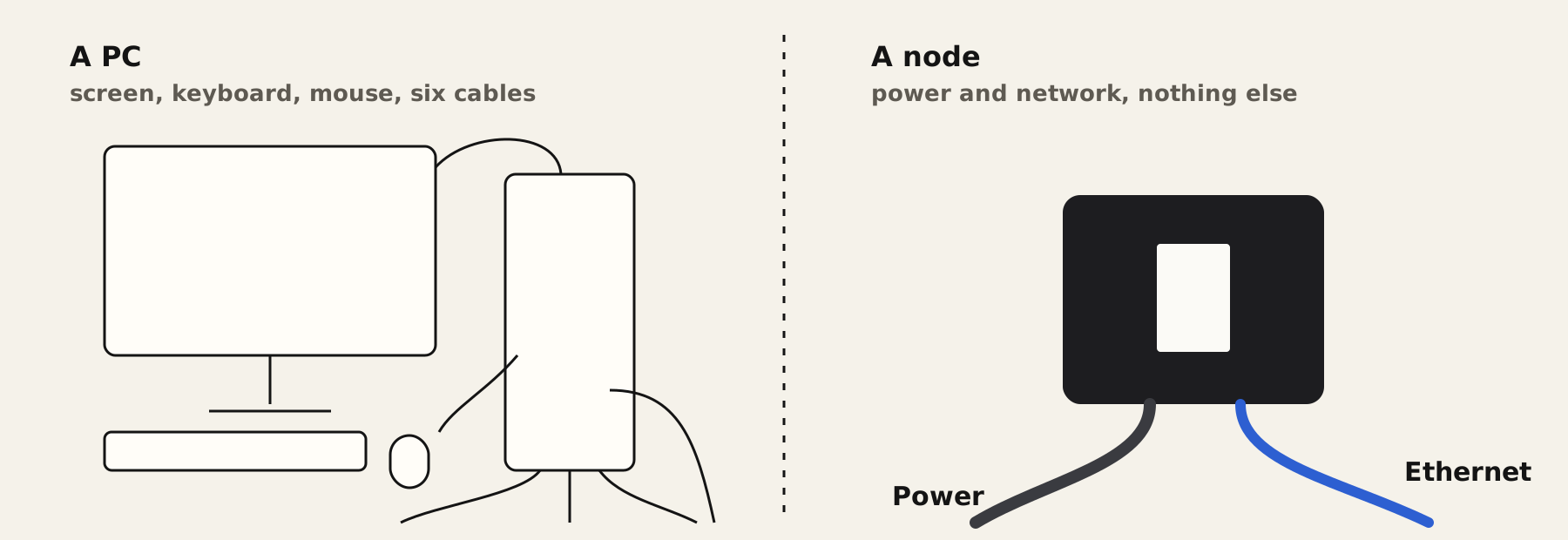
Why only two cables
Everything a PC needs a person for has been moved somewhere else, so the box only needs power and a network.
- No screen. It's looked after from another computer, over the network.
- No power button. It switches itself on when the power comes back, and the validator starts with it.
- No babysitting. The validator signs once a day by itself. Off for a day? Its own page says it plainly: "Being offline is never a fault."
- Ethernet, not wifi. A steady line, no password to expire, nothing to drop out at signing time.
- Everything else lives in the box. One power lead feeds it all and a four-port switch shares the network. Two cables leave the box.
TL;DR
Three settings turn a PC into a node: start after a power cut, never sleep, run the validator as a service.
Go deeper: the three settings
Start after a power cut. On the HP, press F10 at start-up, then Advanced → Power-On Options → After Power Loss → Power On. On a Mac, System Settings → Energy → Start up when power is connected → Always. Older Macs call it Start up automatically after a power failure.
Never sleep. Windows: set sleep to Never in the power plan. Mac: stop it sleeping automatically.
The validator as a service. On Windows and Linux it starts with the computer. On a Mac it runs while you're logged in, so a Mac node needs automatic login, and that means FileVault off.
Set it up
- Set the power-on option (HP BIOS, or Energy on a Mac).
- Turn sleep off.
- Install the validator as a service:
validator service install - Let updates install themselves:
validator update auto - Pull the plug, put it back, and check the validator comes up on its own.
The hardware layer
A second-hand business mini PC, about the size of a hardback book, does the whole job.
| The Southern Node | |
|---|---|
| Machine | HP EliteDesk 800 G2 Mini |
| Processor | Intel Core i5-6500T, 4 cores |
| Memory | 8 GB DDR4 |
| Storage | 128 GB SSD |
| Network | Fibre, wired ethernet |
| System | Windows 11 Pro |
| Commissioned | November 2026 |
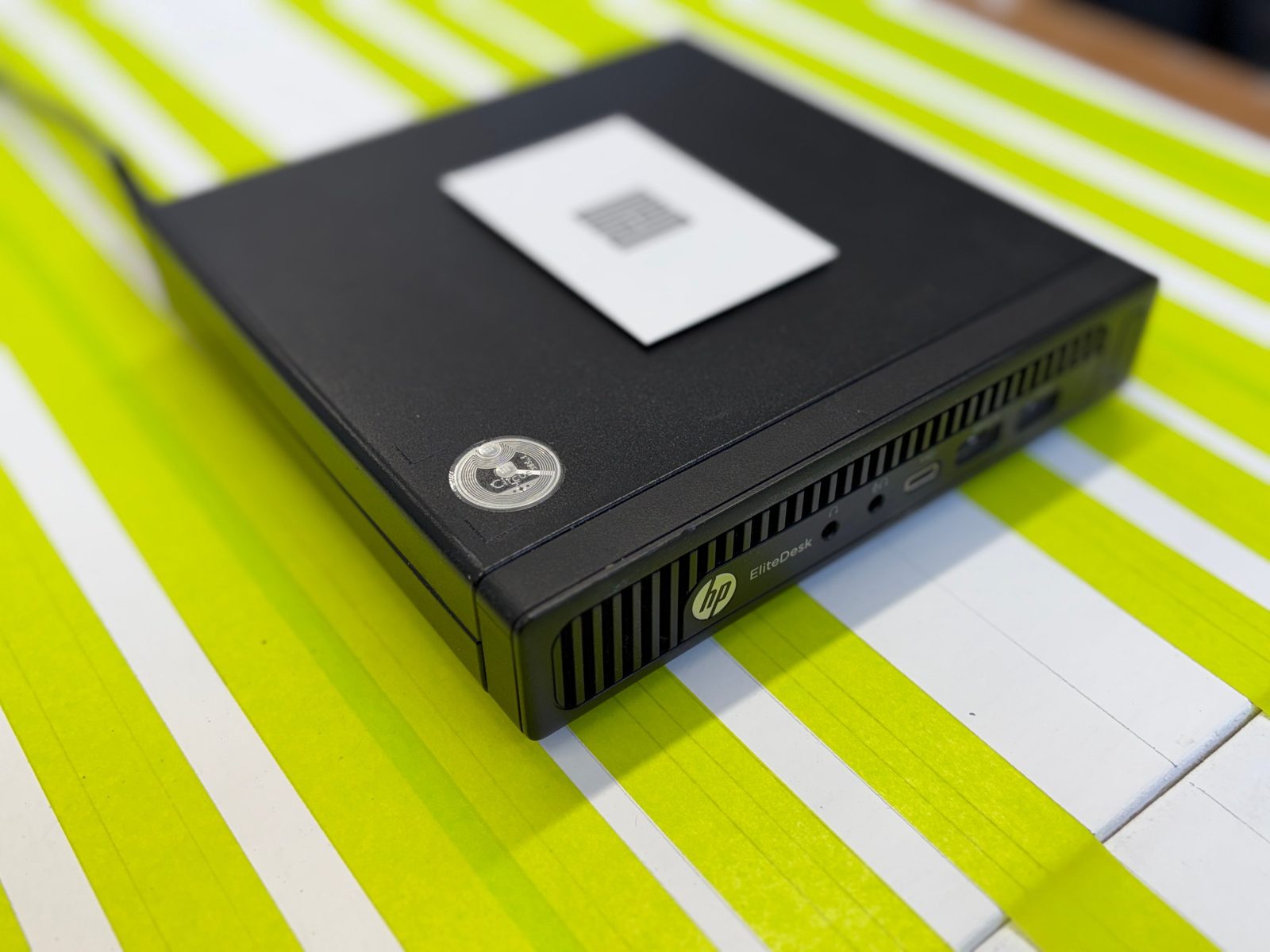
Business mini PCs are built to run all day. They're quiet, run off one power brick, and offices retire them by the thousand, so they're cheap second-hand.
6529 asks for a 64-bit computer: a Mac on macOS 11 or newer, a Windows 10 or 11 PC, or a Linux computer, a Raspberry Pi 4 or 5 among them. It has to stay on.
Cost
An EliteDesk 800 G2 Mini goes for US$150 to 300 second-hand.
Same job, other machines
| Machine | Why it works | Watch out for |
|---|---|---|
| Mac mini | Small, silent, sips power. The Line runs a second validator on one. | Signs only while you're logged in: set automatic login. |
| Newer HP Minis | Same shape as The Southern Node, newer chips. | Check for ethernet and a 64-bit Windows licence. |
| Lenovo ThinkCentre Tiny | Common second-hand, same class. | Same checks. |
| Dell OptiPlex Micro | Common second-hand, same class. | Same checks. |
| Raspberry Pi 4 or 5 | The cheapest route. Listed by 6529 under Linux. | Needs a 64-bit OS and more setup. |
| A laptop | Works in a pinch. | Lids close, it sleeps, batteries age. Not a node. |
Phase 2
Storage. A 2 TB drive to keep a local copy of the Ethereum history since The Memes began in June 2022.
Go deeper: why Windows Pro
Windows Home can't host Remote Desktop. Only Pro and up can, and Remote Desktop is how you reach a node with no screen. Already on Home? Upgrade, or use a different remote tool.
The software layer
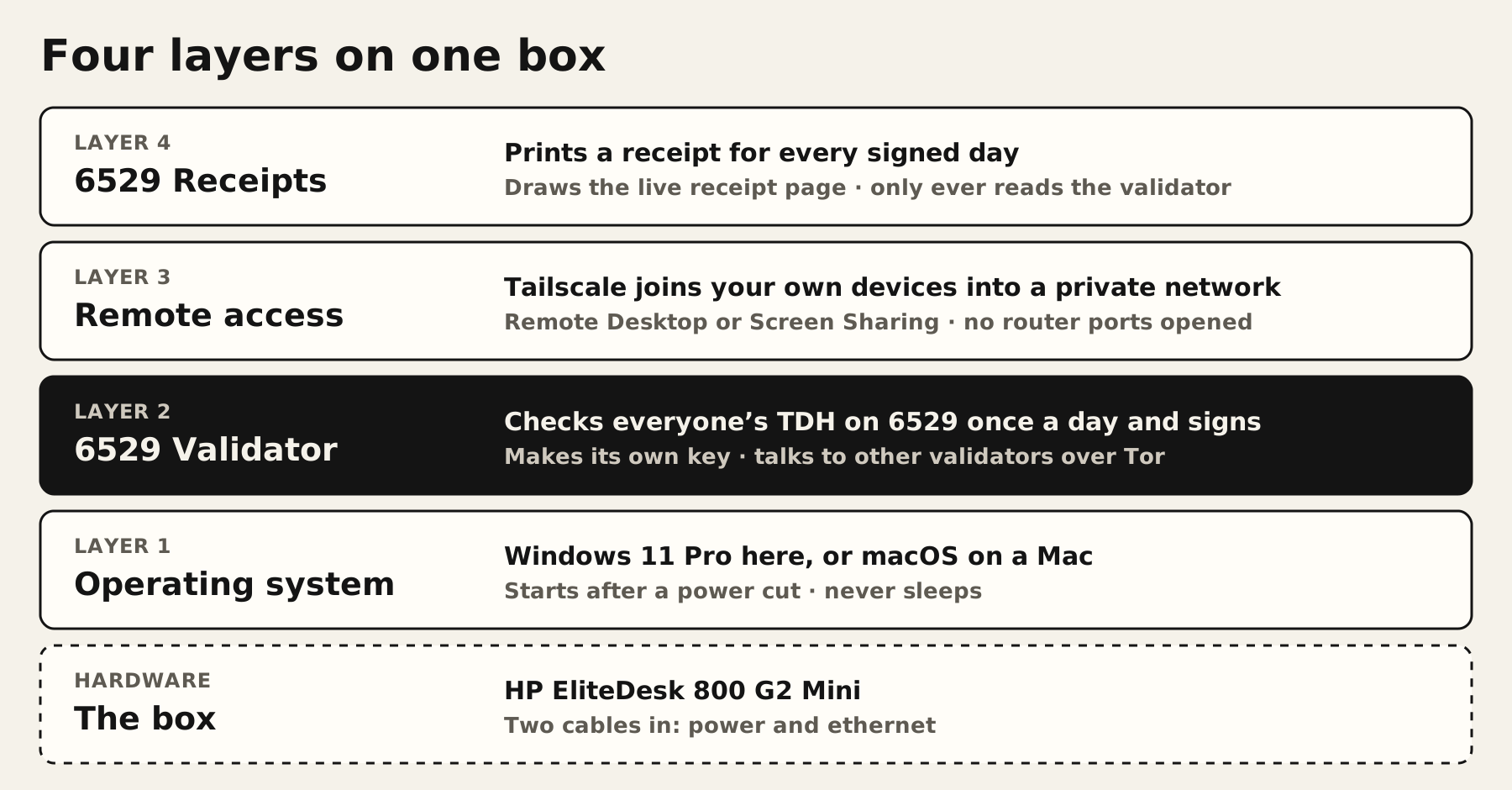
Four layers of software sit on the box, and only one of them is the validator.
Layer 2: the validator
It describes itself in one line: it "checks everyone's TDH on 6529 once a day and signs the result."
Go deeper
It reads every Ethereum block since its release's checkpoint, and talks to the other validators over Tor.
It makes its own key on the computer. Your wallet then signs one message to authorise that key. 6529's words: "It costs no gas and moves nothing."
Set it up
validator init
validator service install
validator keygen
validator grant sign-page --account <your wallet address>
validator status
Download it from 6529.io/validator and follow the tester guide.
Layer 3: remote access
Tailscale joins the node and your laptop into one private network. Then Remote Desktop (Windows) or Screen Sharing (Mac) puts the node's screen on yours, from anywhere.
Set it up
- Install Tailscale on the node and on your laptop.
- Sign both into the same Tailscale account.
- Turn on Remote Desktop (Windows Pro) or Screen Sharing (Mac) on the node.
- Connect to the node by its Tailscale name.
Layer 4: 6529 Receipts
Prints a receipt for every day the node signs, and draws the live receipt page. It only ever reads the validator, never changes it. More in The flexes.
New Zealand signs at lunchtime
Security
"6529 never starts a DM with you or asks for a seed phrase." Your seed phrase never goes near the node; the wallet signs once, from your browser. And don't post raw logs or status files: they show your keys and your account.
Time
Release dates move fast while 6529 is testing. Check 6529.io/validator for today's.
What the node sees
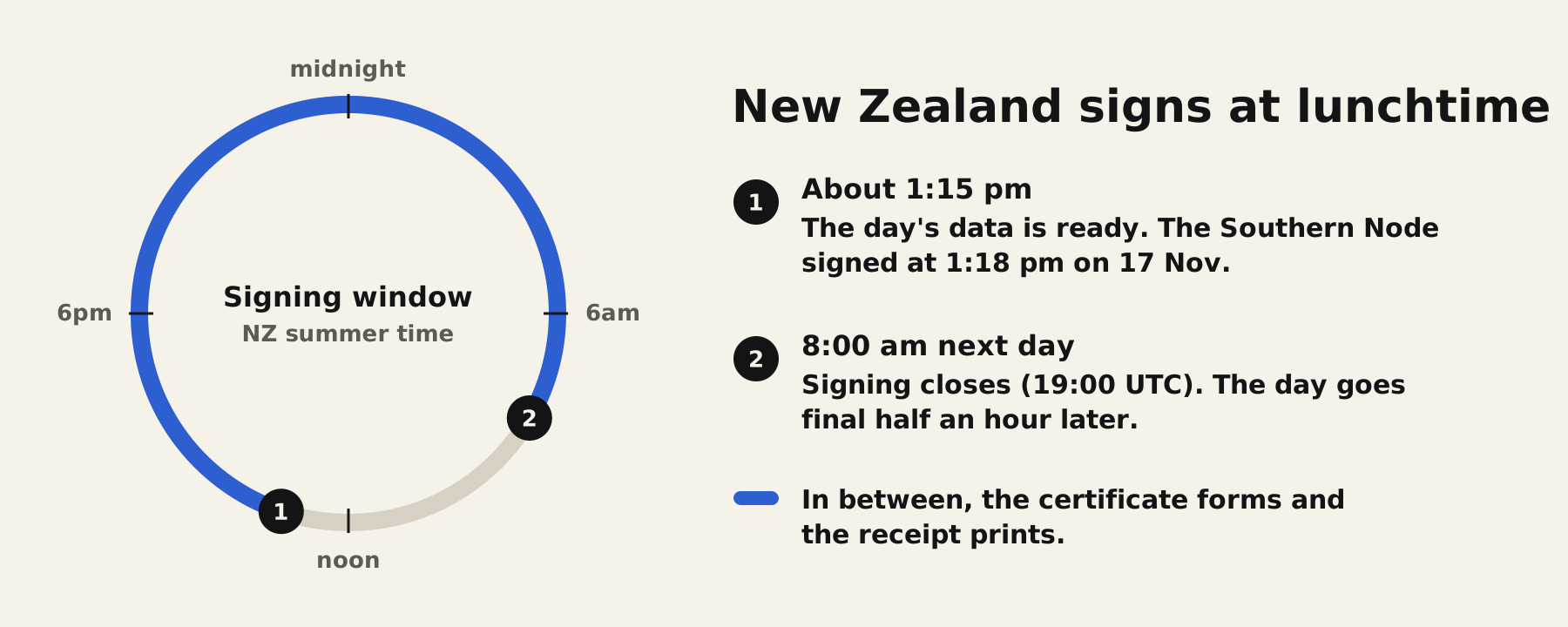
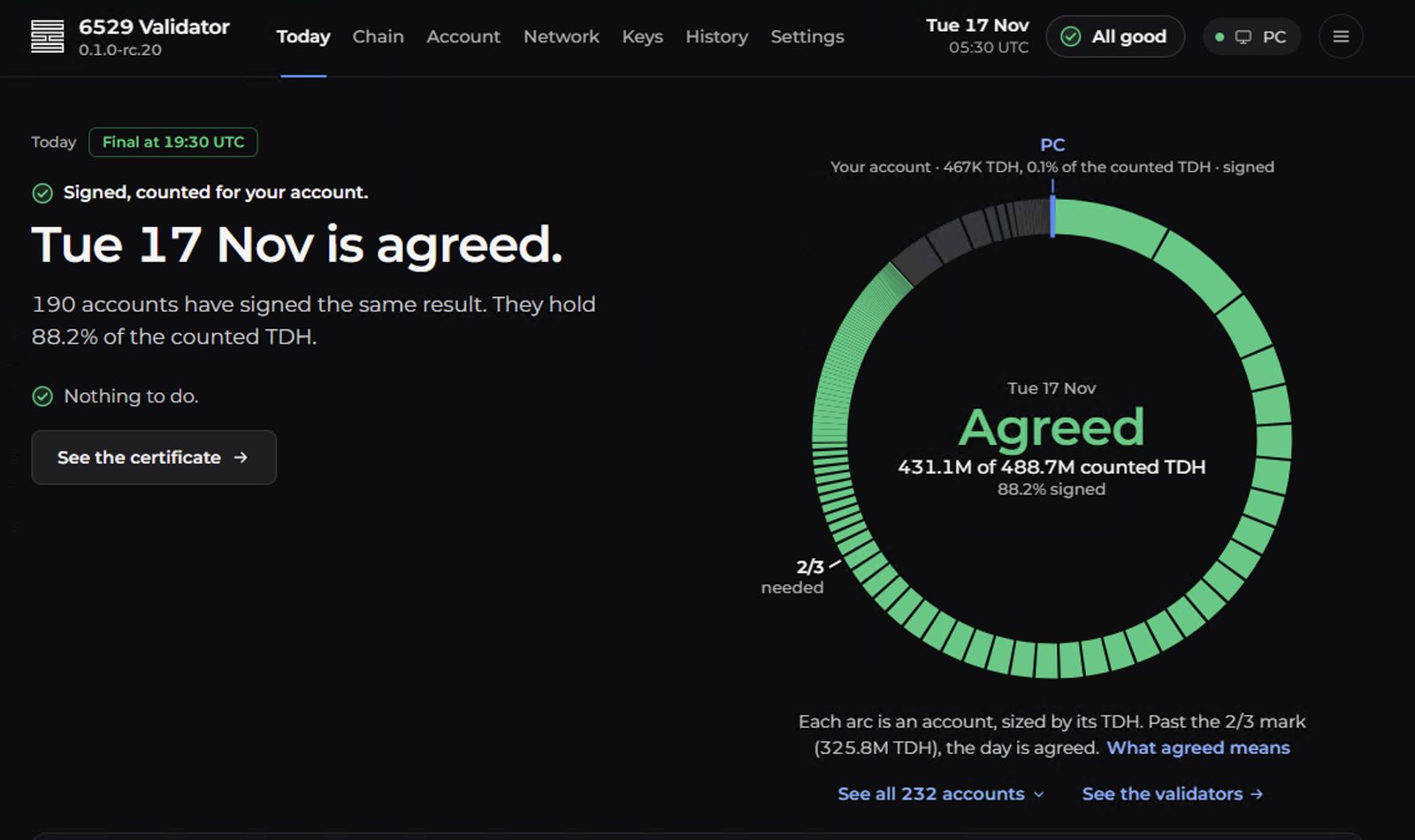
Every day at lunchtime NZ time, the node counts who holds what across 6529, compares notes with 200+ other validators, and signs what they agree on.
One day, off the roll
| On the receipt | Means |
|---|---|
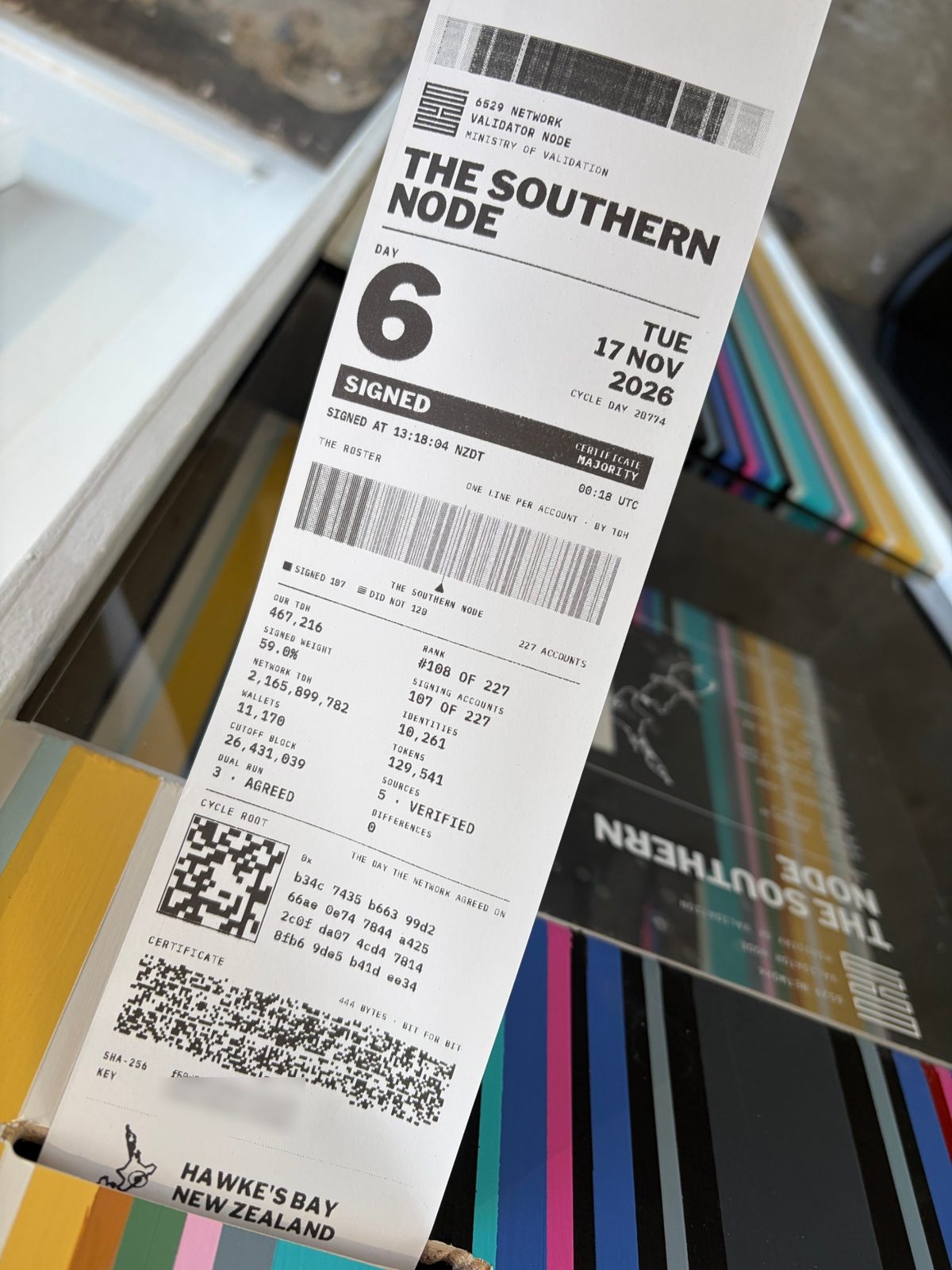
| Network TDH 2,165,899,782 | Everyone's TDH added up |
| Identities 10,261 · Wallets 11,170 · Tokens 129,541 | What was counted |
| Cutoff block 26,431,039 | The Ethereum block the count stops at |
| Sources 5 · verified | Ethereum data checked against several sources |
| Differences 0 | Nothing disagreed |
| Certificate Majority | Over half had signed when it printed |
Pro tip
An early print can say Majority and a later one Strong. Same day, more signatures. Past 2/3 it's Strong.
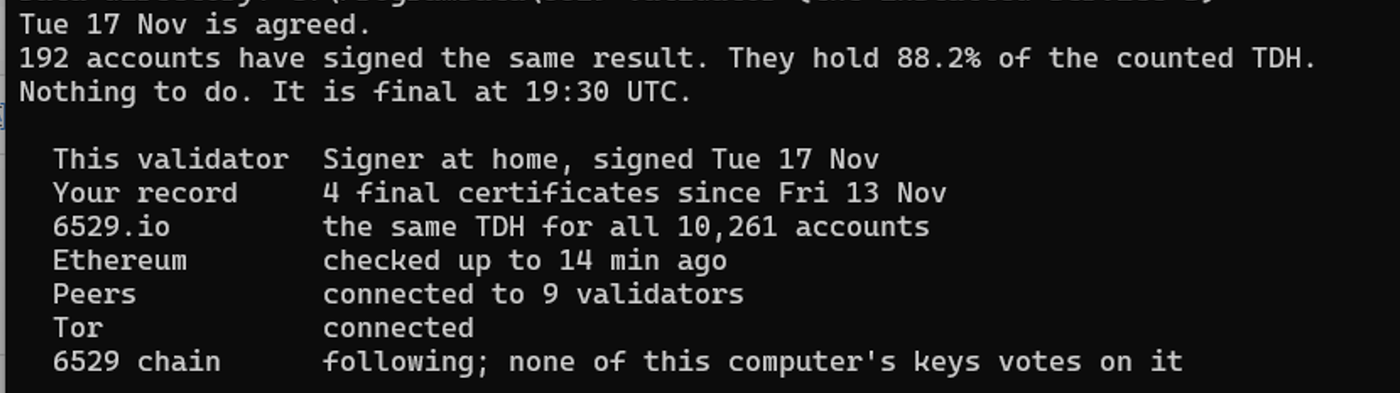
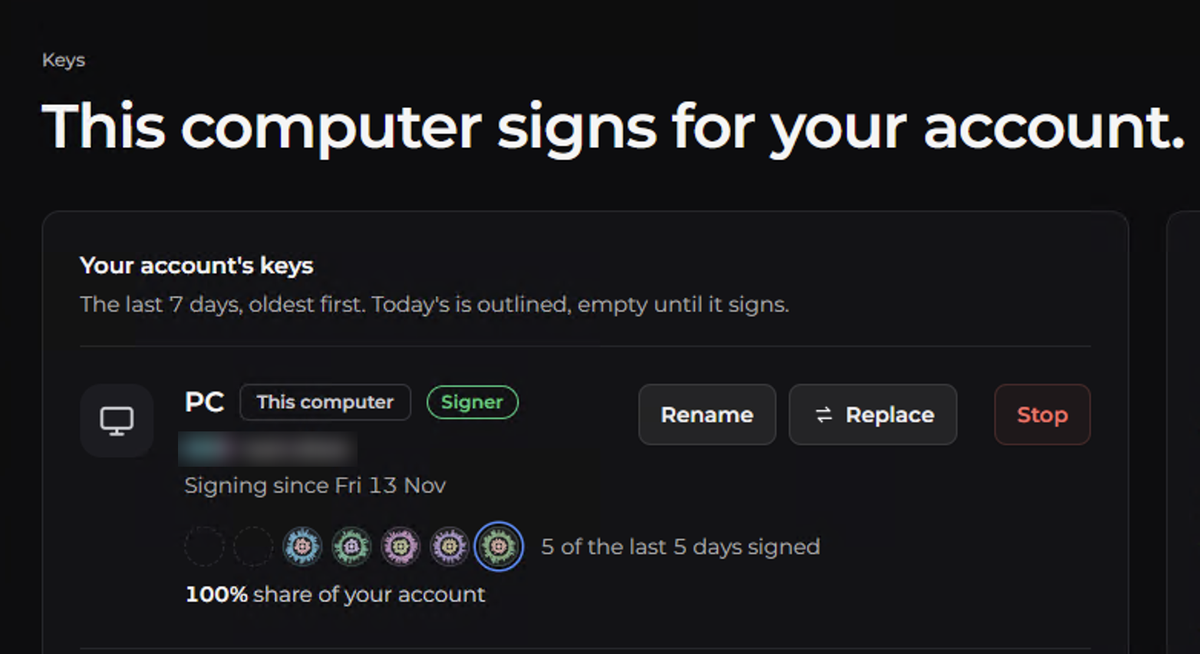
And there's a chain
The 6529 test chain has been live since 13 Nov: a block every 30 seconds, final after about 10 minutes. The Southern Node follows it. Its key doesn't vote on it.
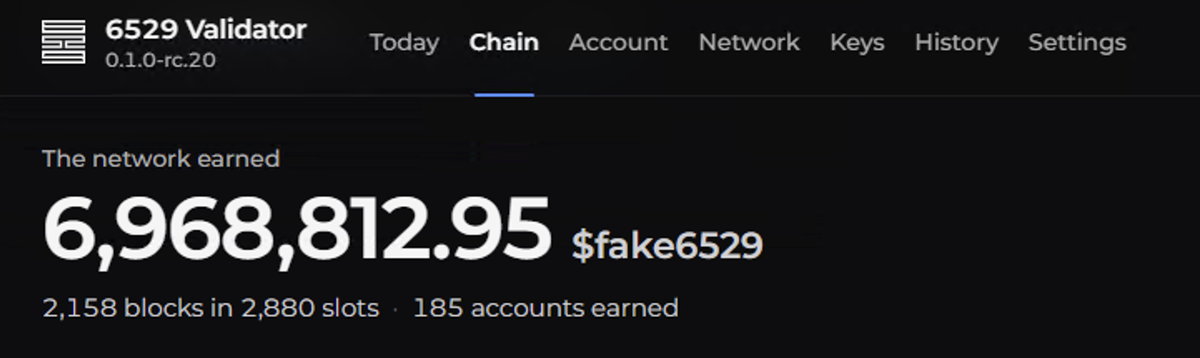
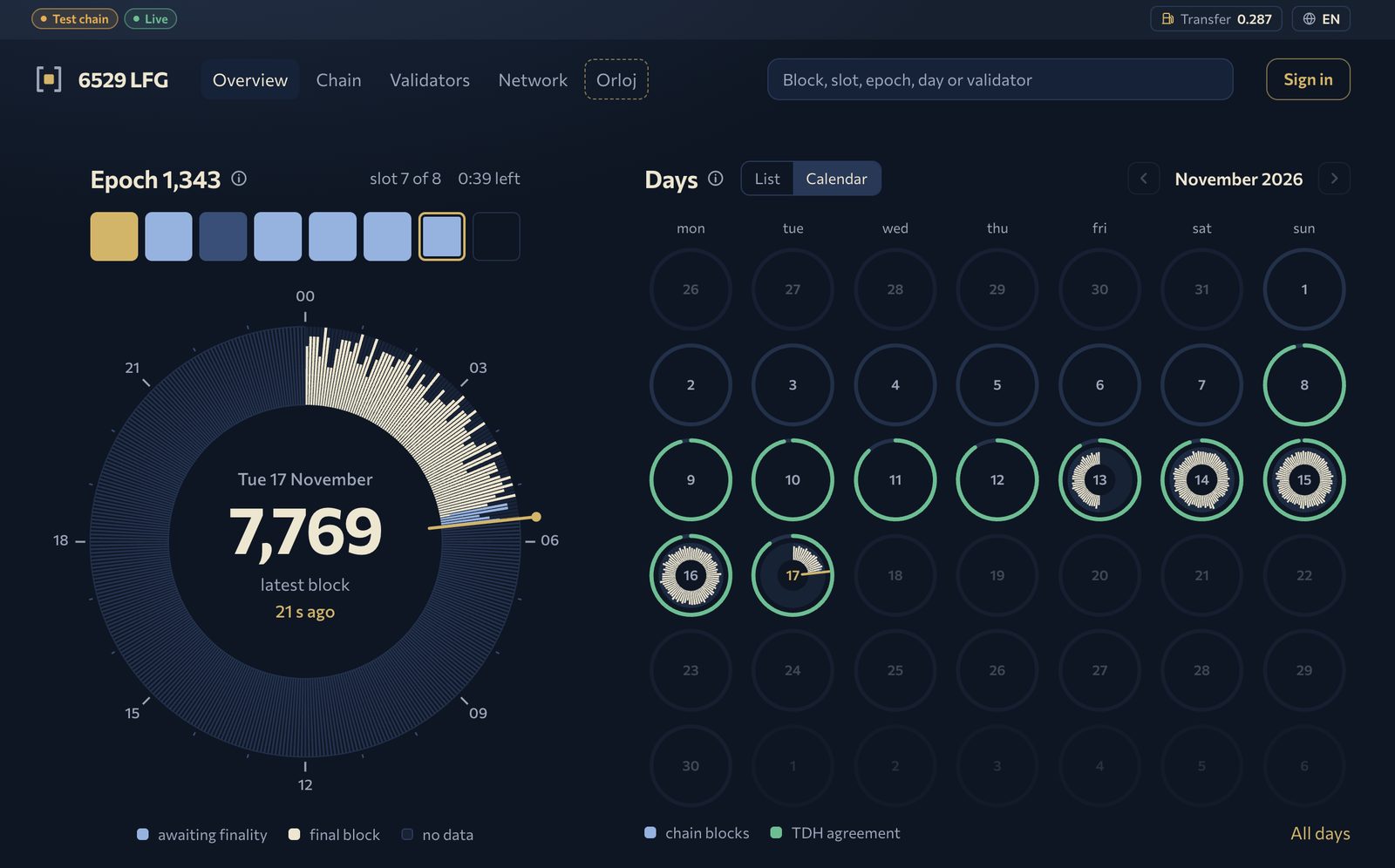
6529 LFG is an unofficial community explorer, not run by 6529.
The flexes
Two extras turn a box that signs into a thing people stop and look at.
6529 Receipts
Every day the node signs, it prints a receipt. Proof you can hold. A Sewoo SLK-TE25, an 80 mm thermal printer on USB, prints each day once, after the node's key has signed and the certificate has formed. The roll is never cut.
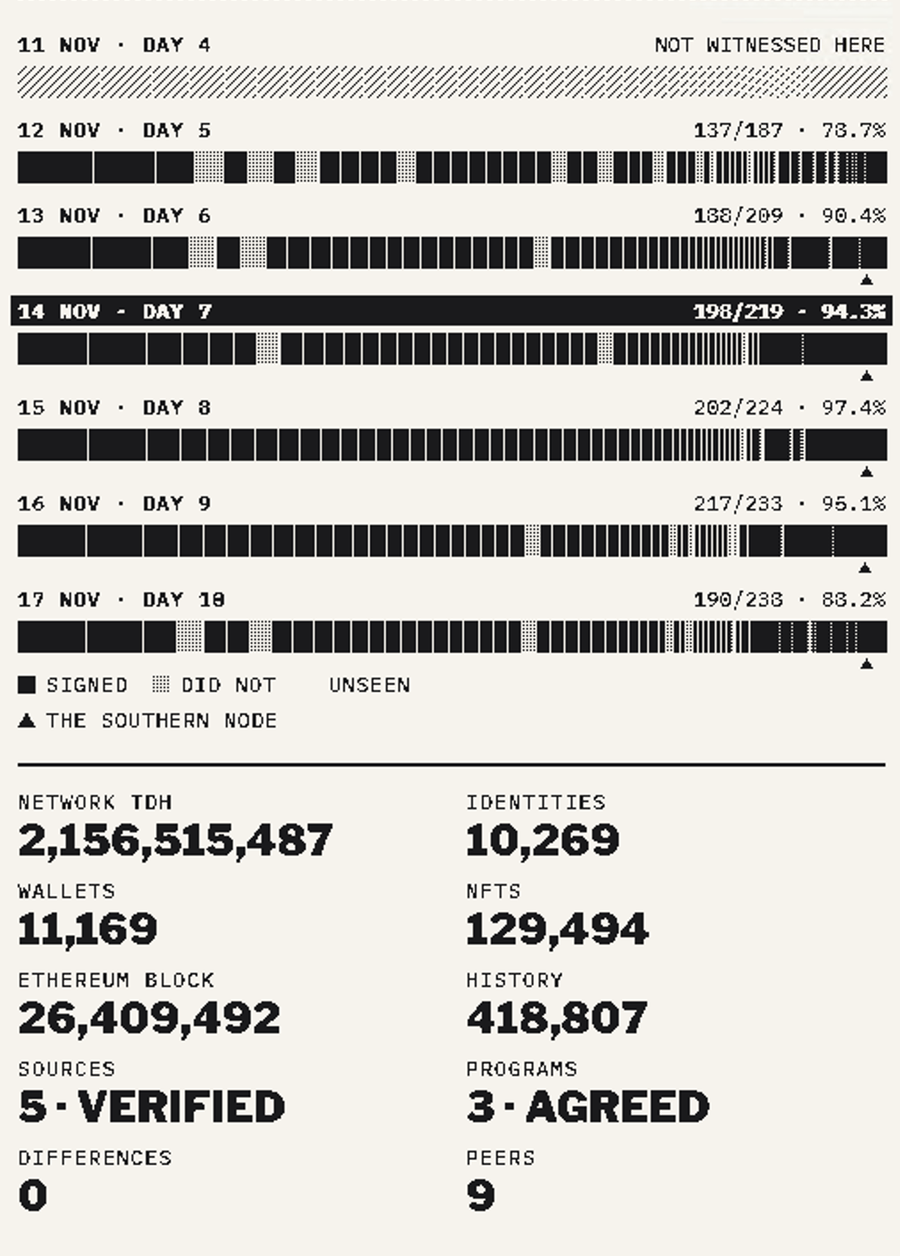
On every receipt:
- a band made from the day's cycle root
- the day number and the SIGNED bar
- the roster as a barcode, one line per account, by TDH
- the day's numbers
- the cycle root seal
- the certificate, printed bit for bit
- the Hawke's Bay map
The live page is one receipt for the whole network that redraws itself. Pick any validator and see the day from where it stands. See it live, served straight from the node.
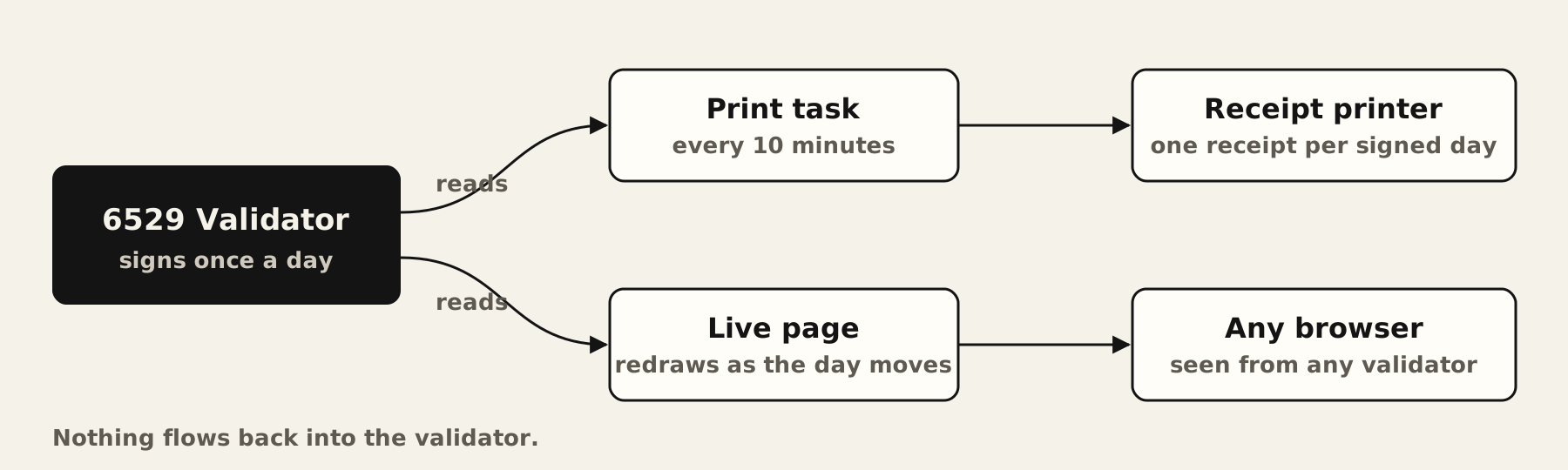
Security
Public prints hide the key line, and neither the page nor the receipt shows a wallet address.
Run your own. Any 80 mm thermal printer, a few steps, and your node prints too. The 6529 Receipts kit download is coming.
The light
The node picks its own colours... more soon.
The build
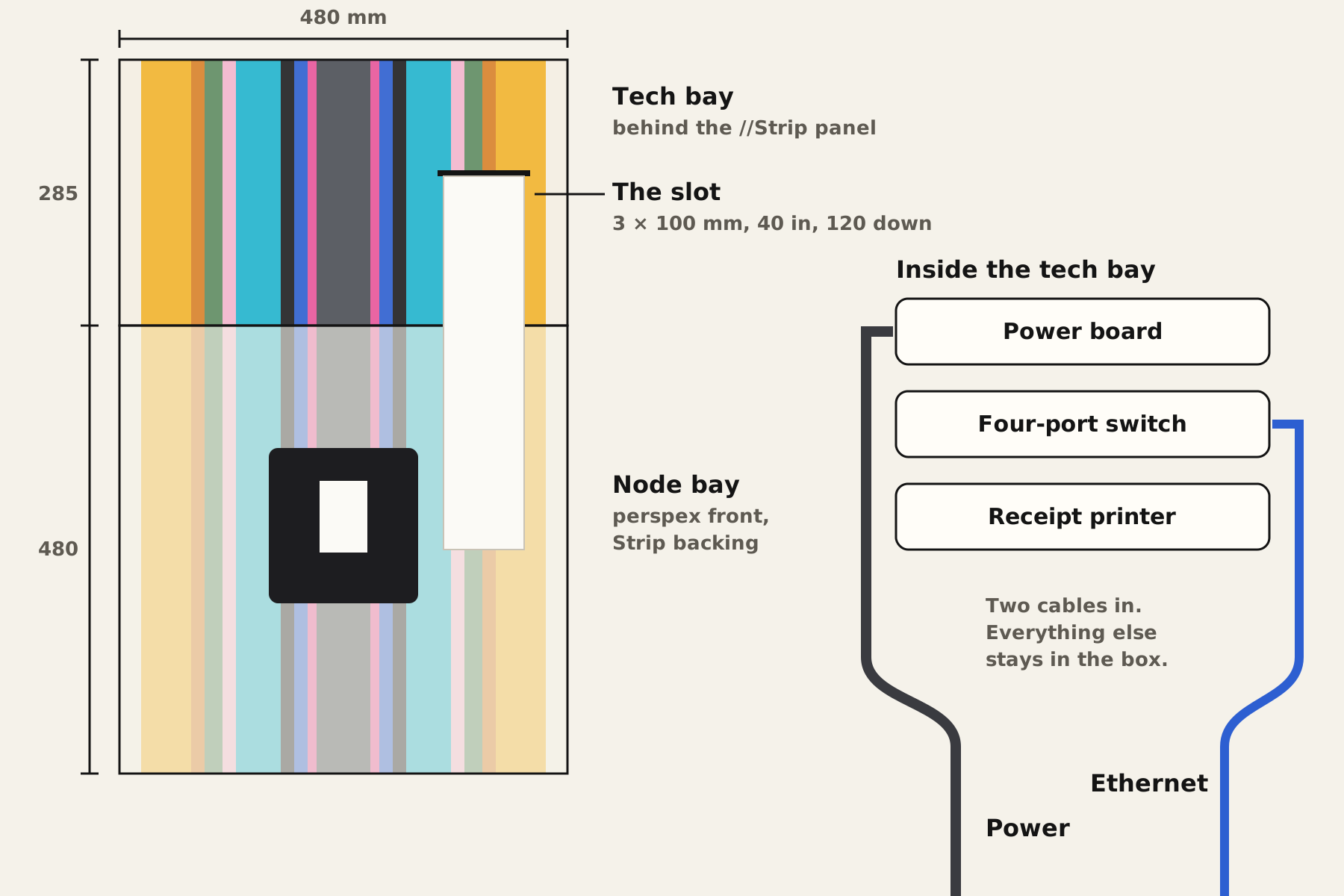
A painted box in the wall, a perspex front, and a slot the receipt feeds out of.
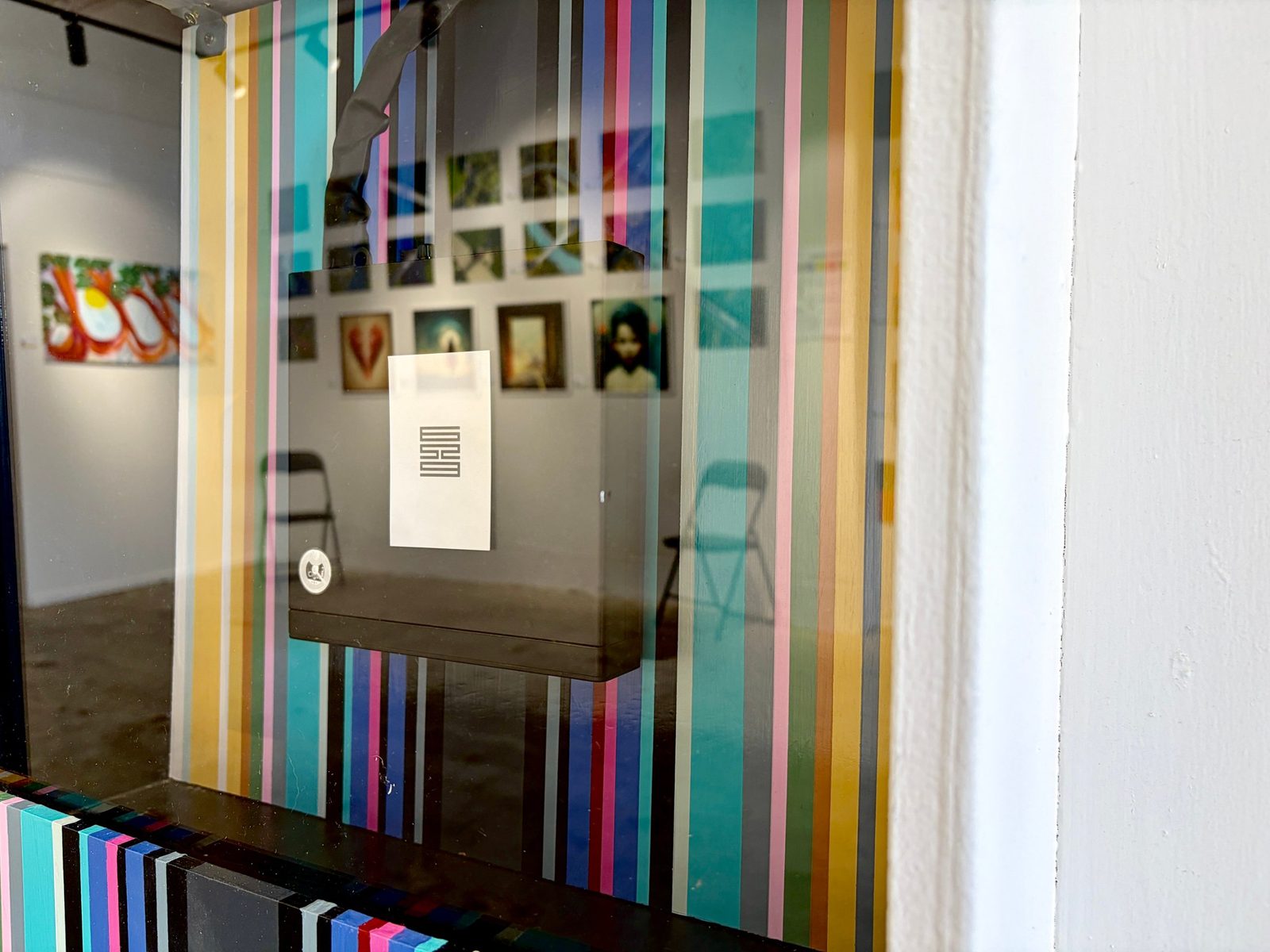
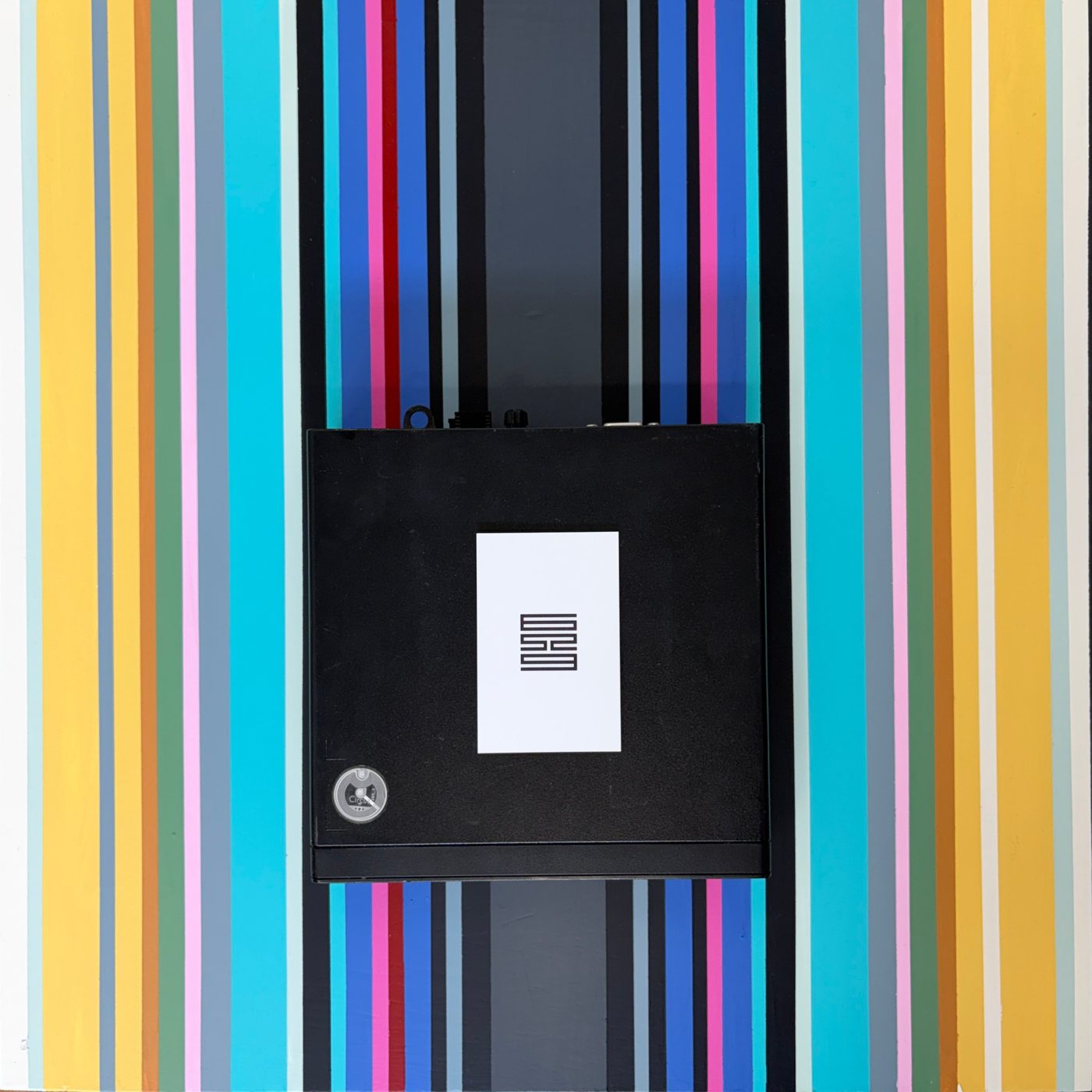
- The backing. A Strip Painting with a charcoal stripe down the middle for the cables.
- The node. Mounted upright, the 6529 card on its lid.
- The front. Perspex, printed with the node's spec card.
- The tech bay. Hidden behind the //Strip panel above the node: one power board, a four-port switch and the printer.
- The slot. 3 mm × 100 mm, cut 40 mm in from the right edge and 120 mm down from the top. The roll hangs down the front.
Pro tip
Cut the slot with a slight back bevel, so the paper never catches.
Go deeper: cutting the slot
- Mark the slot, 3 mm × 100 mm.
- Drill a pilot hole at each end.
- Saw between them with a coping or jab saw.
- Bevel the back edge, sand it smooth, and test-feed a strip of receipt paper.
Commission your Strip
Your node, mounted on a painting made for it, in colours from your own space.
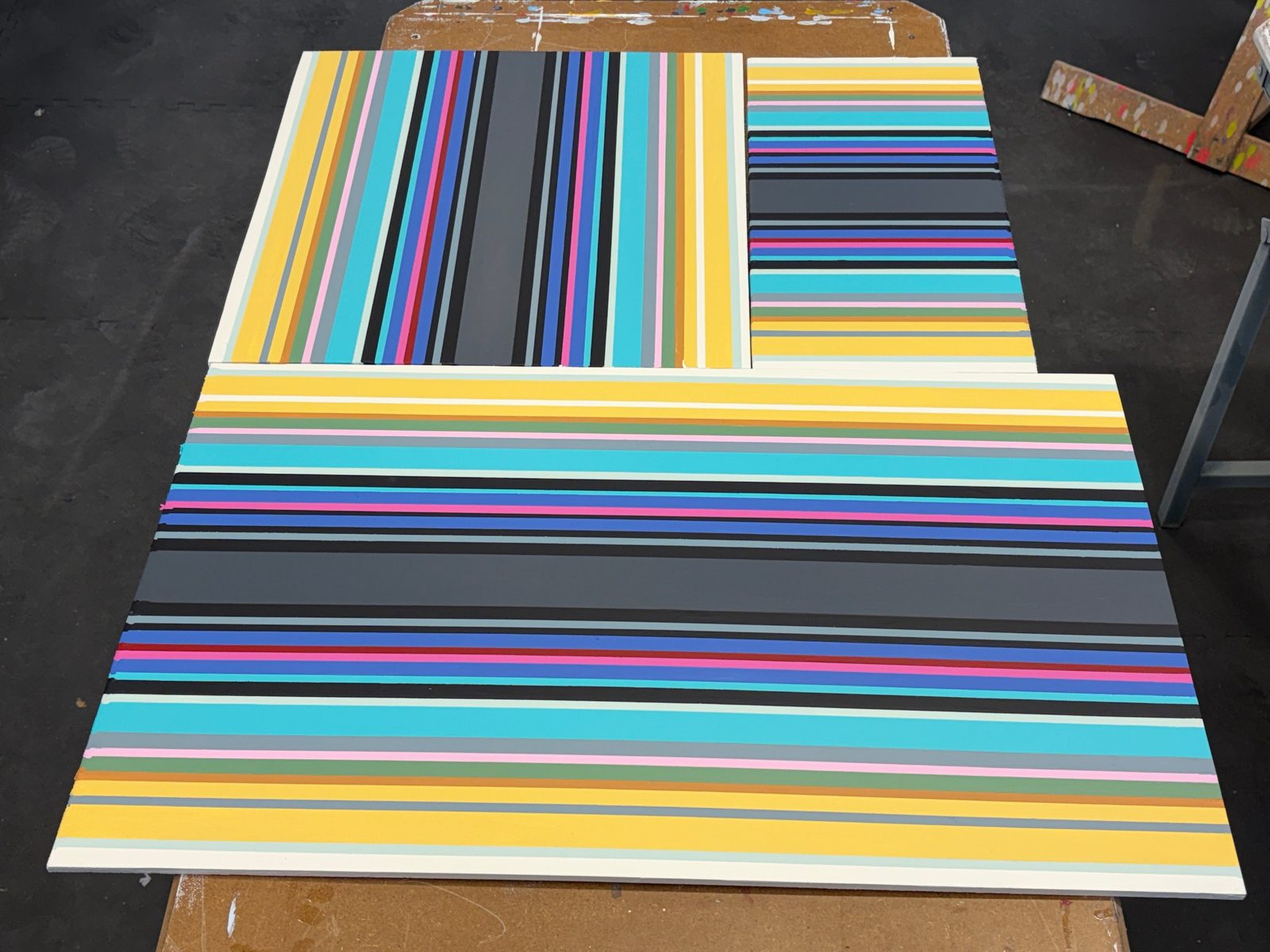
- Design your strip how you like it.
- Upload a photo of your space and sample colours straight from it.
- Pick any size. Every size is variable: a Mac mini, a mini PC, a whole wall.
- Checkout. Painted and shipped in 4 to 6 weeks.
Commission yours at mintface.art
Join the Southern Cross
New Zealand's 6529 validators, joined up as a constellation. There's room for more stars.
| Member | Region | Node |
|---|---|---|
| The Southern Node | Hawke's Bay | Live |
| Sarah C | Auckland | Live |
| firstladyart | Wellington | Live |
| Manny | On the Go | Live |
| Paul | Christchurch | Getting set up |
| Dom Baker | Northland | Getting set up |
Run your own: 6529.io/validator, this guide, and the 6529 Receipts kit.
Sources
- 6529 Validator: supported computers, the wallet signing, the security lines
- 6529 Validator tester guide: signing hours
- Apple: start a Mac when power is connected
- HP Community: power on after power loss
- The Southern Node's own receipts and validator screens, 17 Nov 2026